> For the complete documentation index, see [llms.txt](https://help.agego.com/llms.txt). Markdown versions of documentation pages are available by appending `.md` to page URLs; this page is available as [Markdown](https://help.agego.com/fr/methodes-de-verification/identite-numerique.md).
# IDENTITÉ NUMÉRIQUE
Vérifiez votre âge avec Yoti Digital ID via une application sécurisée tierce.
Utilisez le **ID numérique** méthode de vérification pour confirmer que vous répondez au seuil d'âge requis avec **Yoti Digital ID**.
**Ce dont vous avez besoin**
* Un smartphone ou un ordinateur
* L'accès à la caméra activé sur votre appareil et dans votre navigateur
* L'application Yoti installée sur votre appareil
* Une pièce d'identité officielle avec photo en cours de validité
* Un permis de conduire, un passeport ou une carte d'identité nationale qui vous appartient et n'a pas expiré
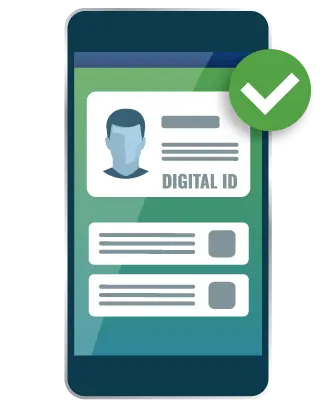 ## Comment fonctionne la vérification de l'âge par ID numérique
{% stepper %}
{% step %}
Téléchargez l'application Yoti depuis [Yoti](https://www.yoti.com/personal/), si vous ne l'avez pas déjà installée.
{% endstep %}
{% step %}
Sélectionnez la **ID numérique** méthode de vérification parmi les options disponibles.
{% endstep %}
{% step %}
Suivez les instructions pour continuer avec Yoti et terminer les étapes de configuration ou de connexion dans l'application.
{% endstep %}
{% step %}
Yoti vérifie votre ID numérique et confirme si vous atteignez l'âge minimum requis.
{% endstep %}
{% step %}
Si la vérification est réussie, vous pouvez saisir votre adresse e-mail et créer un compte AgeGO. Cela vous évite une vérification complète de l'âge lors de futures visites sur les sites web qui utilisent AgeGO.
{% endstep %}
{% step %}
Un code à usage unique à 6 chiffres est envoyé à votre adresse e-mail. Saisissez le code pour terminer le processus et accéder au site. Si vous ne voyez pas l'e-mail, vérifiez votre dossier spam.
{% endstep %}
{% endstepper %}
{% hint style="info" %}
Cette méthode utilise Yoti comme fournisseur de vérification tiers.
{% endhint %}
## Avantages
* **Facile :** Ne partagez que le fait que vous avez 18 ans ou plus, rien d'autre.
* **Sécurisé :** Votre ID numérique est protégé grâce à un chiffrement sécurisé.
* **Aucune conservation des données :** Une fois la vérification terminée, aucune de vos données n'est stockée ni partagée.
*
## Comment fonctionne la vérification de l'âge par ID numérique
{% stepper %}
{% step %}
Téléchargez l'application Yoti depuis [Yoti](https://www.yoti.com/personal/), si vous ne l'avez pas déjà installée.
{% endstep %}
{% step %}
Sélectionnez la **ID numérique** méthode de vérification parmi les options disponibles.
{% endstep %}
{% step %}
Suivez les instructions pour continuer avec Yoti et terminer les étapes de configuration ou de connexion dans l'application.
{% endstep %}
{% step %}
Yoti vérifie votre ID numérique et confirme si vous atteignez l'âge minimum requis.
{% endstep %}
{% step %}
Si la vérification est réussie, vous pouvez saisir votre adresse e-mail et créer un compte AgeGO. Cela vous évite une vérification complète de l'âge lors de futures visites sur les sites web qui utilisent AgeGO.
{% endstep %}
{% step %}
Un code à usage unique à 6 chiffres est envoyé à votre adresse e-mail. Saisissez le code pour terminer le processus et accéder au site. Si vous ne voyez pas l'e-mail, vérifiez votre dossier spam.
{% endstep %}
{% endstepper %}
{% hint style="info" %}
Cette méthode utilise Yoti comme fournisseur de vérification tiers.
{% endhint %}
## Avantages
* **Facile :** Ne partagez que le fait que vous avez 18 ans ou plus, rien d'autre.
* **Sécurisé :** Votre ID numérique est protégé grâce à un chiffrement sécurisé.
* **Aucune conservation des données :** Une fois la vérification terminée, aucune de vos données n'est stockée ni partagée.
*
---
# Agent Instructions
This documentation is published with GitBook. GitBook is the documentation platform designed so that both humans and AI agents can read, navigate, and reason over technical content effectively. Learn more at gitbook.com.
## Querying This Documentation
If you need additional information that is not directly available in this page, you can query the documentation dynamically by asking a question.
Perform an HTTP GET request on the current page URL with the `ask` query parameter, and the optional `goal` query parameter:
```
GET https://help.agego.com/fr/methodes-de-verification/identite-numerique.md?ask=&goal=
```
`ask` is the immediate question: it should be specific, self-contained, and written in natural language.
`goal` is optional and describes the broader end goal you are ultimately trying to accomplish on behalf of the user. GitBook uses it to tailor the answer towards what is most useful for that goal.
The response will contain a direct answer to the question and relevant excerpts and sources from the documentation.
Use this mechanism when the answer is not explicitly present in the current page, you need clarification or additional context, or you want to retrieve related documentation sections.