> For the complete documentation index, see [llms.txt](https://help.agego.com/llms.txt). Markdown versions of documentation pages are available by appending `.md` to page URLs; this page is available as [Markdown](https://help.agego.com/verification-methods/digital-id.md).
# DIGITAL ID
Verify your age with Yoti Digital ID through a secure third-party app.
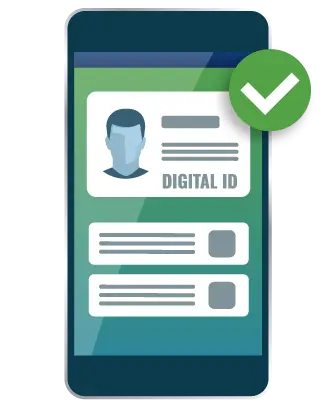
Use the **Digital ID** verification method to confirm that you meet the required age threshold with **Yoti Digital ID**.
**What you need**
* A smartphone or computer
* Camera access enabled in your device and browser
* The Yoti app installed on your device
* A valid government-issued photo ID
* A driver’s license, passport, or national ID card that belongs to you and has not expired
 ## How digital ID age verification works
{% stepper %}
{% step %}
Download the Yoti app from [Yoti](https://www.yoti.com/personal/), if you do not already have it installed.
{% endstep %}
{% step %}
Select the **Digital ID** verification method from the available options.
{% endstep %}
{% step %}
Follow the prompts to continue with Yoti and complete the setup or sign-in steps in the app.
{% endstep %}
{% step %}
Yoti verifies your digital ID and confirms whether you meet the required age threshold.
{% endstep %}
{% step %}
If verification is successful, you can enter your email address and create an AgeGO account. This helps you avoid full age verification on future visits to websites that use AgeGO.
{% endstep %}
{% step %}
A 6-digit one-time code is sent to your email address. Enter the code to complete the process and access the site. If you do not see the email, check your spam folder.
{% endstep %}
{% endstepper %}
{% hint style="info" %}
This method uses Yoti as a third-party verification provider.
{% endhint %}
## Benefits
* **Easy:** Only share the fact that you are 18+, nothing else.
* **Secure:** Your digital ID is protected thanks to a secured encryption.
* **No data retention:** Once the verification is completed, none of your data is stored or shared.
*
---
# Agent Instructions
This documentation is published with GitBook. GitBook is the documentation platform designed so that both humans and AI agents can read, navigate, and reason over technical content effectively. Learn more at gitbook.com.
## Querying This Documentation
If you need additional information that is not directly available in this page, you can query the documentation by asking a question.
Perform an HTTP GET request on the following URL with the `ask` and `goal` query parameters:
```
GET https://help.agego.com/verification-methods/digital-id.md?ask=&goal=
```
`ask` is the immediate question: it should be specific, self-contained, and written in natural language.
`goal` is what the user is ultimately trying to achieve, the reason they need the answer. Sharing it helps GitBook give you a better, more relevant answer. A goal is most helpful when it describes the outcome the user wants rather than restating the question. For example, with `ask=how do I create an API token`, a goal like `automate deployments from our CI pipeline` lets GitBook tailor the answer to that use case.
The response will contain a direct answer to the question and relevant excerpts and sources from the documentation.
Use this mechanism when the answer is not explicitly present in the current page, you need clarification or additional context, or you want to retrieve related documentation sections.